Digital Trends article
Gemini in Chrome can now see exactly what you’re looking at on screen
https://www.digitaltrends.com/computing/gemini-in-chrome-can-now-see-exactly-what-youre-looking-at-on-screen/
Content summary.
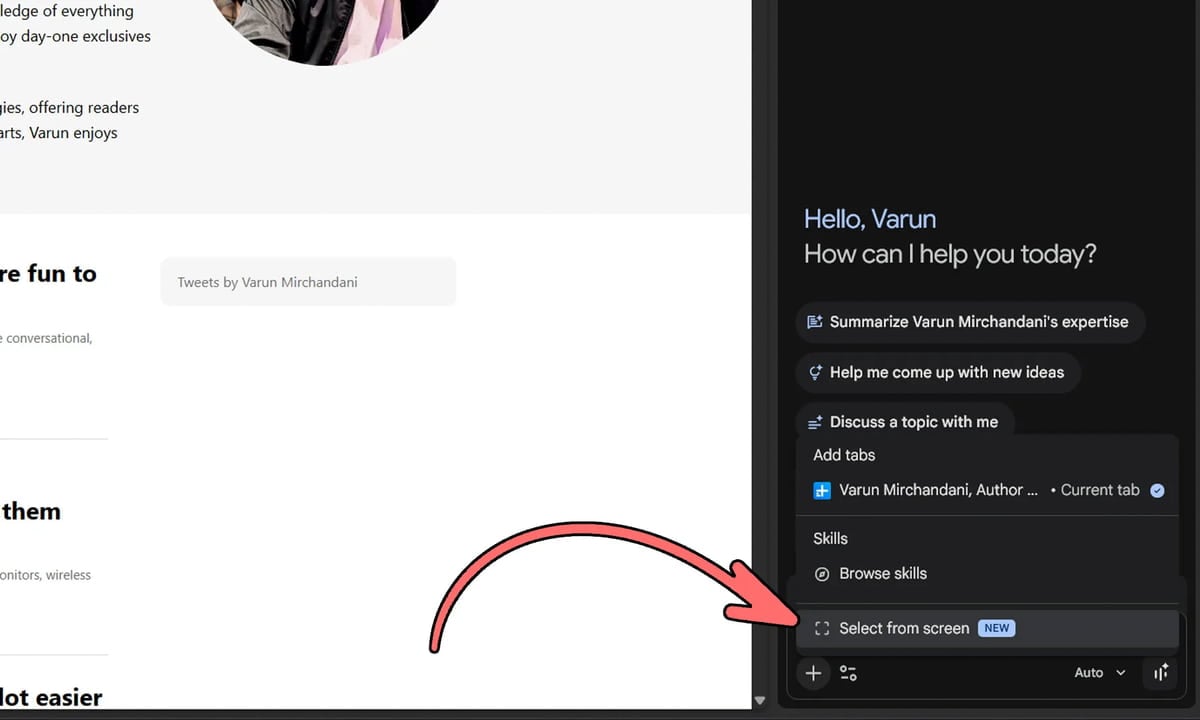
Google has started rolling out a new 'Select from Screen' feature in Chrome version 149, allowing users to highlight specific text or images on a page and send them directly to Gemini.
Sharing Specific Parts of Your Screen with Chrome's Gemini
https://support.google.com/chrome/answer/17077507?hl=ko
A new feature appears in the Gemini panel '+' menu within Chrome, working similarly to a built-in screenshot tool. Once activated, users can select text or images from the current tab they are viewing. The selected portion is automatically attached to the Gemini prompt. This means you don't have to manually describe the content of a page; simply select the part you want to show Gemini for assistance.
Google also announced that developers can now directly access computer use functionality through Gemini 3.5 Flash. This allows models to visually see and work across browser, mobile app, and desktop environments without relying on other models. Google believes this integration will improve the efficiency of long-horizon tasks such as software testing, enterprise workflows, and multi-step automation.