Hello.
I previously introduced a subway guide website (websubway.kr) made on the web to this board, and this time I have remade it as an iPhone app and uploaded it to the App Store.
Basic functions (free)
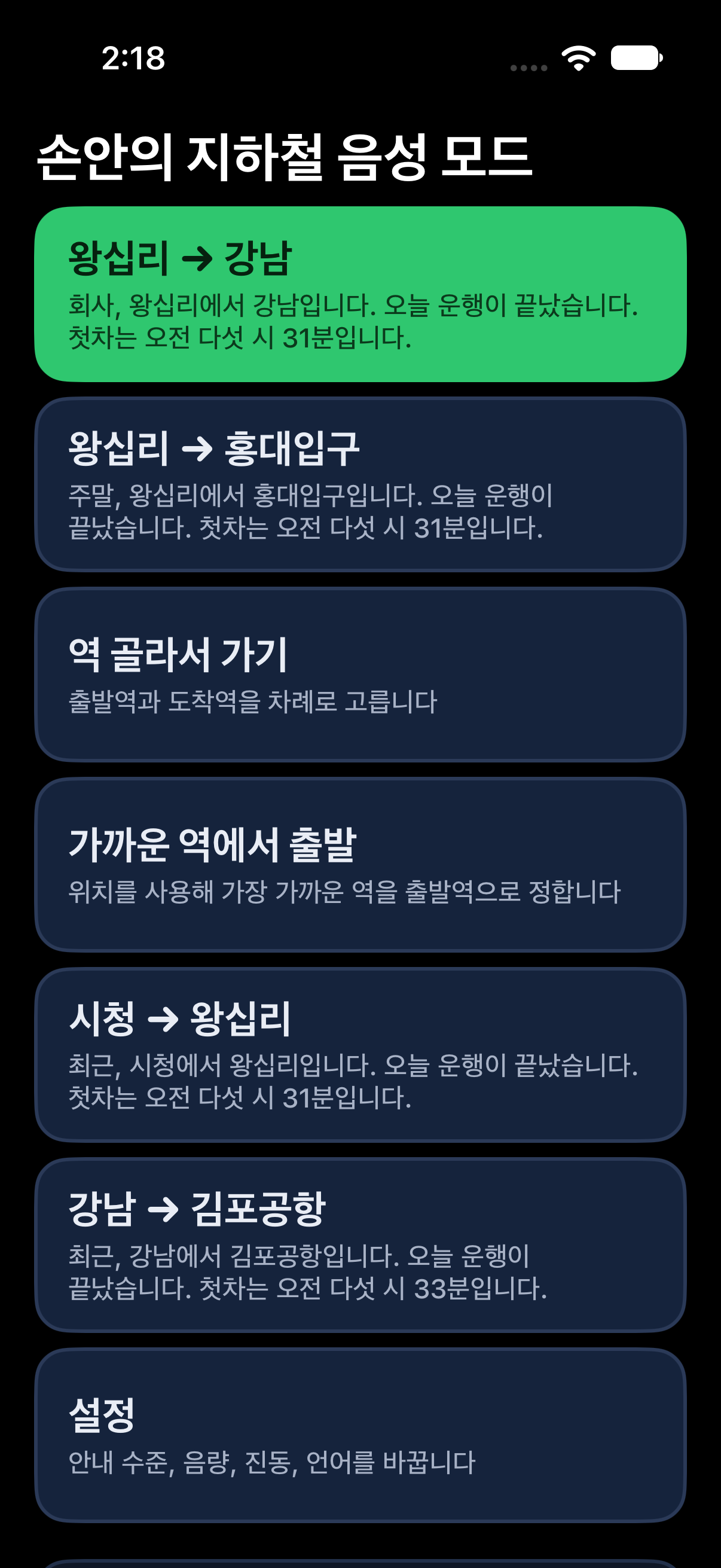
- Selecting only the departure station and arrival station will show you a route with fewer transfers and faster travel time, along with real-time arrival times.
- You can directly designate departure and arrival by clicking on a station on the entire metropolitan area subway map.
- No login required and no ads.
Differences from the web version
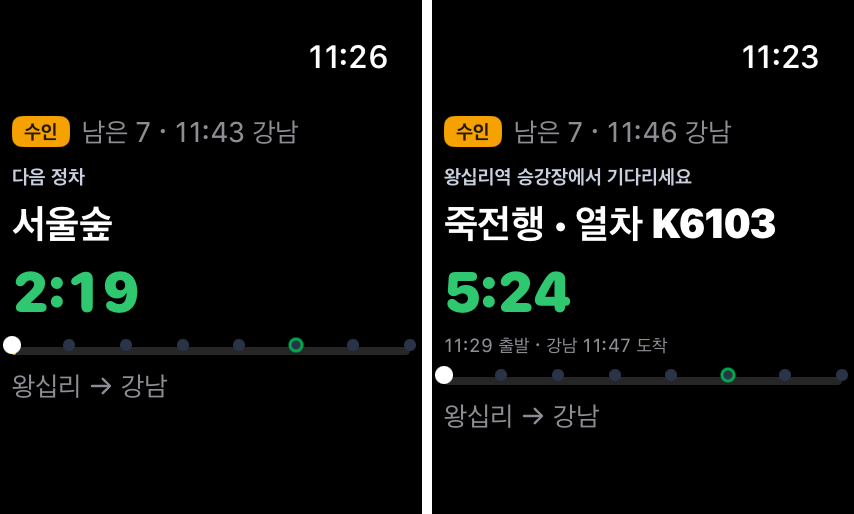
- You can check the next station and countdown on Apple Watch and finish your journey.
- Pixel mode and 3D mode have been recreated in the app.
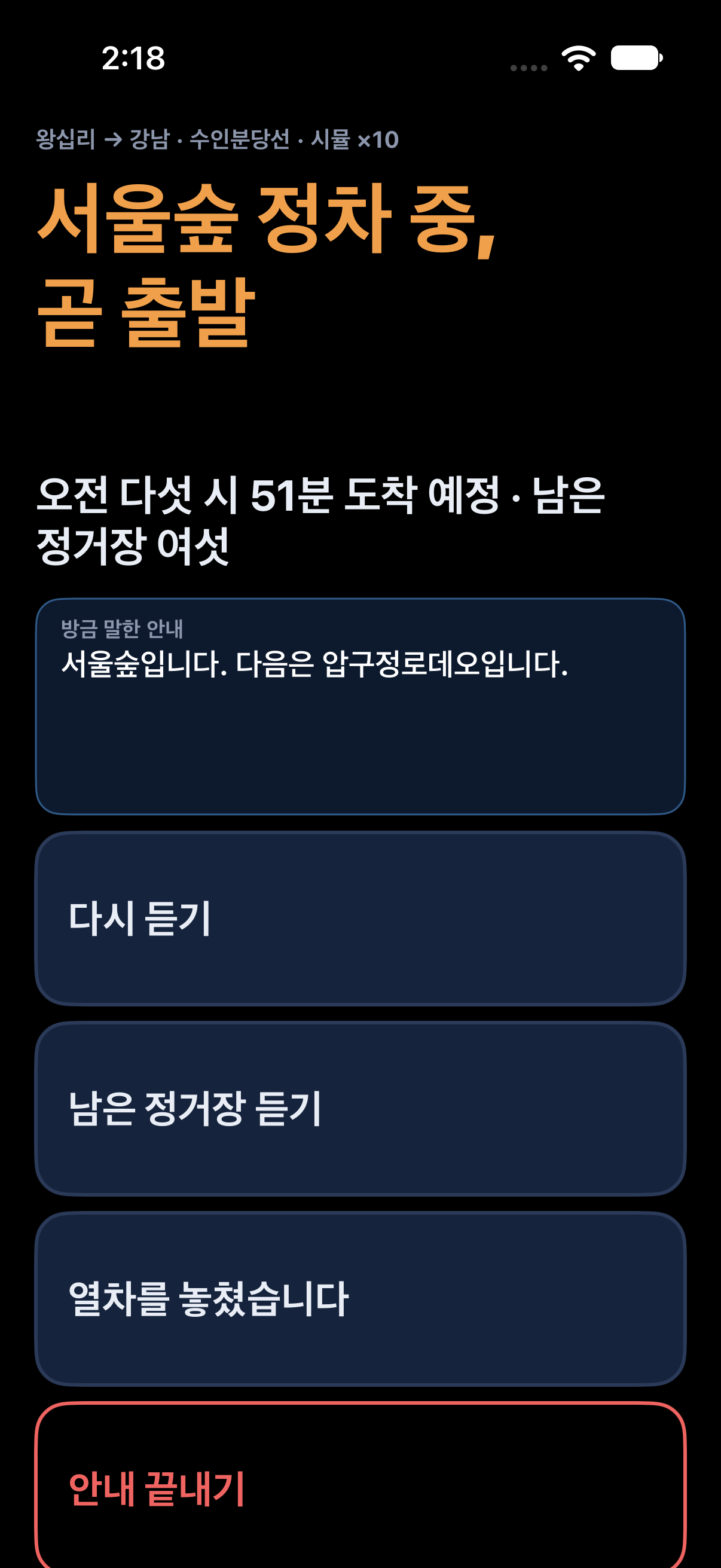
- A voice mode has been added for users who find it difficult to see the screen.
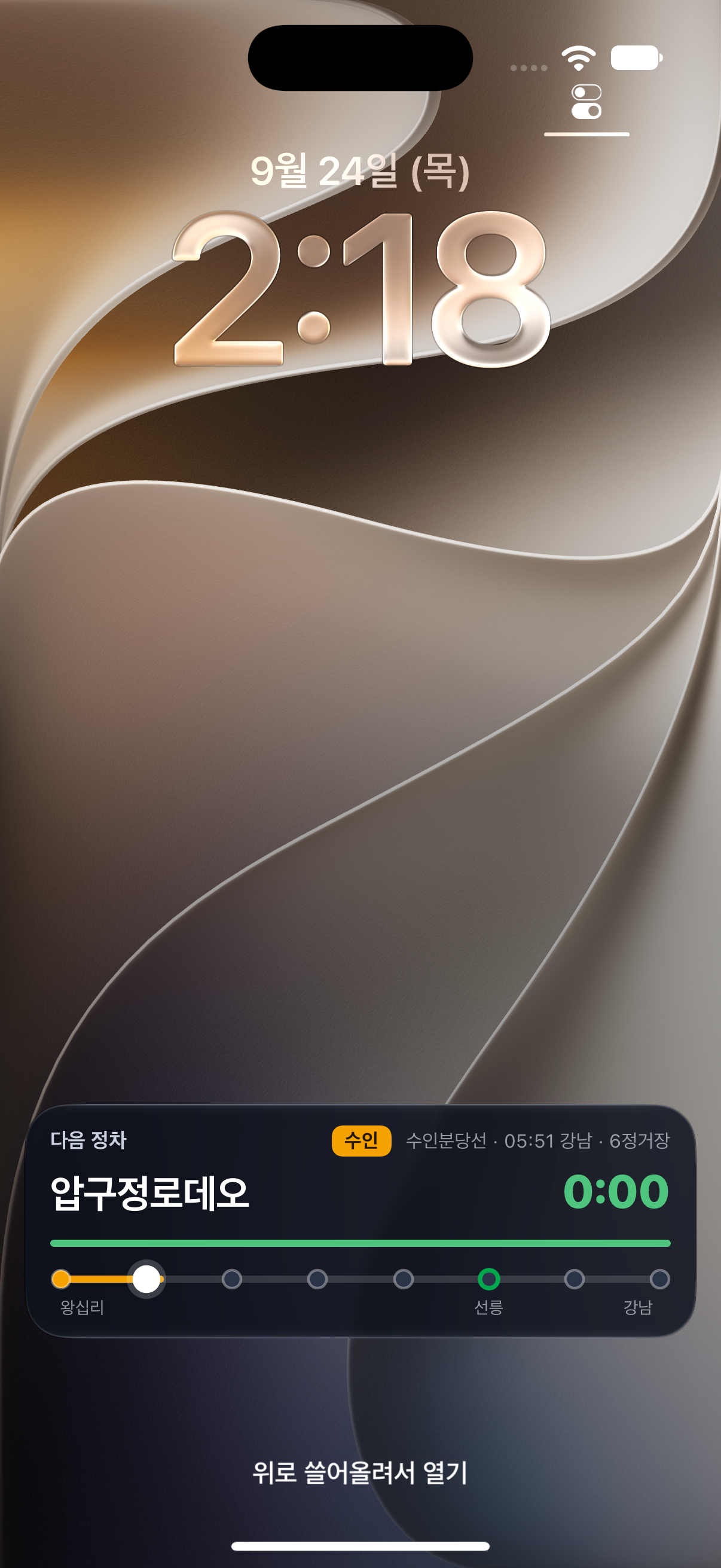
- You can view the next station and remaining time on the lock screen and Dynamic Island even when the screen is off.
- When you start a journey guide, the next stop, remaining time, transfer stations, and quick transfer lanes are displayed in large letters. Before transferring or getting off, you will be notified with an alert and vibration.
Unfortunately, I had to add a subscription plan to cover server costs.
Plus (optional subscription)
Journey guidance is free up to 5 times per month. Subscribing to Plus ($2,200/month or $14,000/year) will give you unlimited journey guidance, as well as access to pixel mode, 3D mode, and Apple Watch.
2 months free trial for Damong members
Click the link below on your iPhone and redeem it. It will not be automatically charged even after 2 months. First come, first served 500 people, until December 31st.
https://apps.apple.com/redeem?ctx=offercodes&id=6813120509&code=SUBWAY2M
Please let me know in the comments if you have any inconvenience or incorrect guidance.
The subscription fee and the number of free journey guides will be improved based on your feedback.
Android version is under development.
App Store: https://apps.apple.com/kr/app/id6813120509
Web version: https://websubway.kr