
Since this is a translation of an overseas article, there may be mistranslations.
https://hothardware.com/news/google-now-lets-mac-users-talk-to-gemini-in-virtually-any-app
Google now lets Mac users talk to Gemini in virtually any app.
Google has introduced a new feature that allows Mac users to interact with Gemini directly within virtually any app on their MacBook and Mac screens, bypassing the need for Finder or dropdown menus.
Similar to how it works on Chromebooks, pressing and holding the Fn key allows users to instantly access voice control and intelligent voice input system-wide.
This update, officially rolling out from version 1.8.8 of the app onwards, significantly changes how Mac users leverage artificial intelligence. Without needing to switch windows, copy text, or open a dedicated browser tab, simply holding down the Fn key generates a floating bar with Gemini's audio waveform at the bottom of the screen.
This shortcut works across the entire system, allowing users to summon AI through voice commands in any third-party creative program, document editor, file manager, and more, without losing their current work position or cursor location.
The core of this update lies in two key features: enhanced voice-to-text conversion and user-activated screen recognition.
The voice input function operates similarly to Google's Gboard Rambler engine, seamlessly inserting refined text into the location of the text cursor. Instead of transcribing every word verbatim, it automatically removes filler words like "um" and incorporates edits made during speech in real time. Even if a sentence is restructured mid-speech, Mac apps will output clean and immediately usable results.
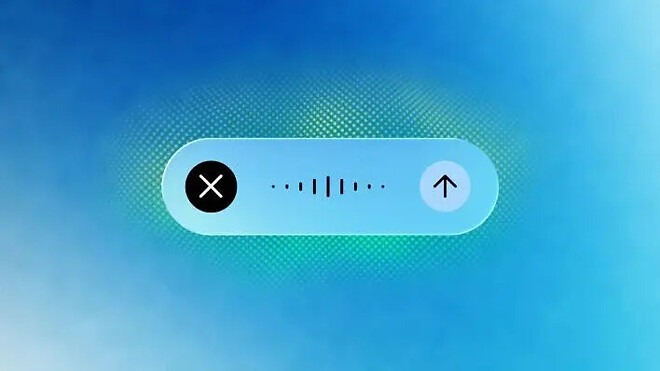
The optional context mode enables Gemini to directly read and process visual information displayed on the monitor. Activating this feature within an app allows users to drag and drop files, documents, or images onto the screen and issue voice commands based on them. For example, dragging a folder containing medical records and asking Gemini to analyze it and summarize the key points for an email.
This screen recognition capability naturally extends to real-time text editing and creative asset management. Users can drag unorganized meeting notes from anywhere on the screen and verbally request a summary report for executives, including key takeaways at the top. For visual tasks, users can refer to a light mode vector illustration displayed on the screen and conversationally request Gemini to generate a dark mode version.
Currently, this feature is being rolled out globally in English language settings and will be expanded to support more languages in future updates.
▶ Original source: https://hothardware.com/news/google-now-lets-mac-users-talk-to-gemini-in-virtually-any-app

